

Nginx
安装Nginx时
在配置./configure的时候添加ssl模块
./configure --prefix=/usr/local/nginx --with-http_stub_status_module --with-http_ssl_module
申请下载免费的证书
腾讯云为例
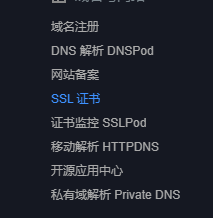
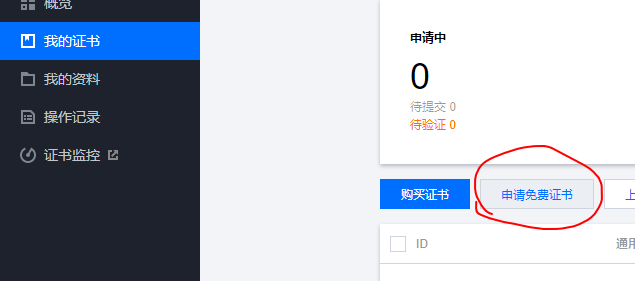
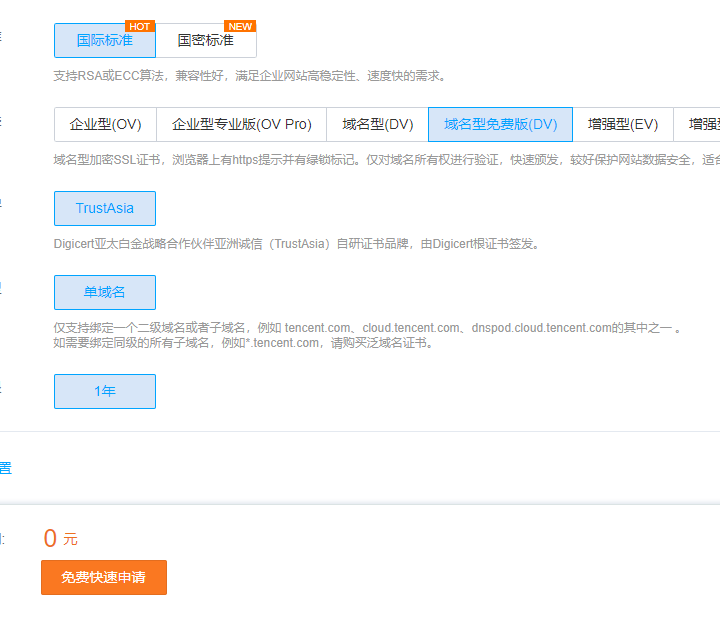
然后提交资料,验证域名解析,最后下载证书
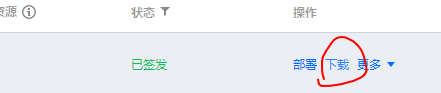
Nginx部署安装
解压后将Nginx下的证书加秘钥上传至服务器,放在nginx/conf文件下(放在自定义文件夹也可以)
我放在nginx/ssl下
编辑nginx.conf文件
server {
	listen 443 ssl;
	#填写绑定证书的域名
	server_name cloud.tencent.com;
	#证书文件
	ssl_certificate  1_cloud.tencent.com_bundle.crt;
	#私钥文件
	ssl_certificate_key 2_cloud.tencent.com.key;
	ssl_session_timeout 5m;
	ssl_ciphers ECDHE-RSA-AES128-GCM-
        SHA256:ECDHE:ECDH:AES:HIGH:!NULL:!aNULL:!MD5:!ADH:!RC4;
	ssl_protocols TLSv1 TLSv1.1 TLSv1.2;
	ssl_prefer_server_ciphers on;

	#让主域名(https://xxx.com)转到二级https://www.xxx.com下
	if ($host != 'www.xxx.com') {
		rewrite ^/(.*)$ https://www.xxx.com/$1 permanent;
	}


	location / {
   	#网站主页路径。此路径仅供参考,具体请您按照实际目录操作。
   		root html;
  		index index.html index.htm;
	}
}

server {
	listen 80;
	#填写绑定证书的域名
	server_name cloud.tencent.com;
	#把http的域名请求转成https
	return 301 https://$host$request_uri;
	}
因为配置了ssl访问还是可以访问http,所以后面的配置是让http请求跳转回https上
验证
# 验证配置文件
./nginx -t
成功
[root@VM-0-2-centos nginx]# cd sbin
[root@VM-0-2-centos sbin]# ls
nginx
[root@VM-0-2-centos sbin]# ./nginx -t
nginx: the configuration file /usr/local/nginx/conf/nginx.conf syntax is ok
nginx: configuration file /usr/local/nginx/conf/nginx.conf test is successful
重启Nginx
./nginx -s reload
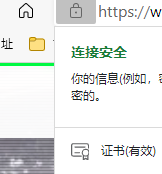
危险链接会使网站报红